
Disk Inspector Pro
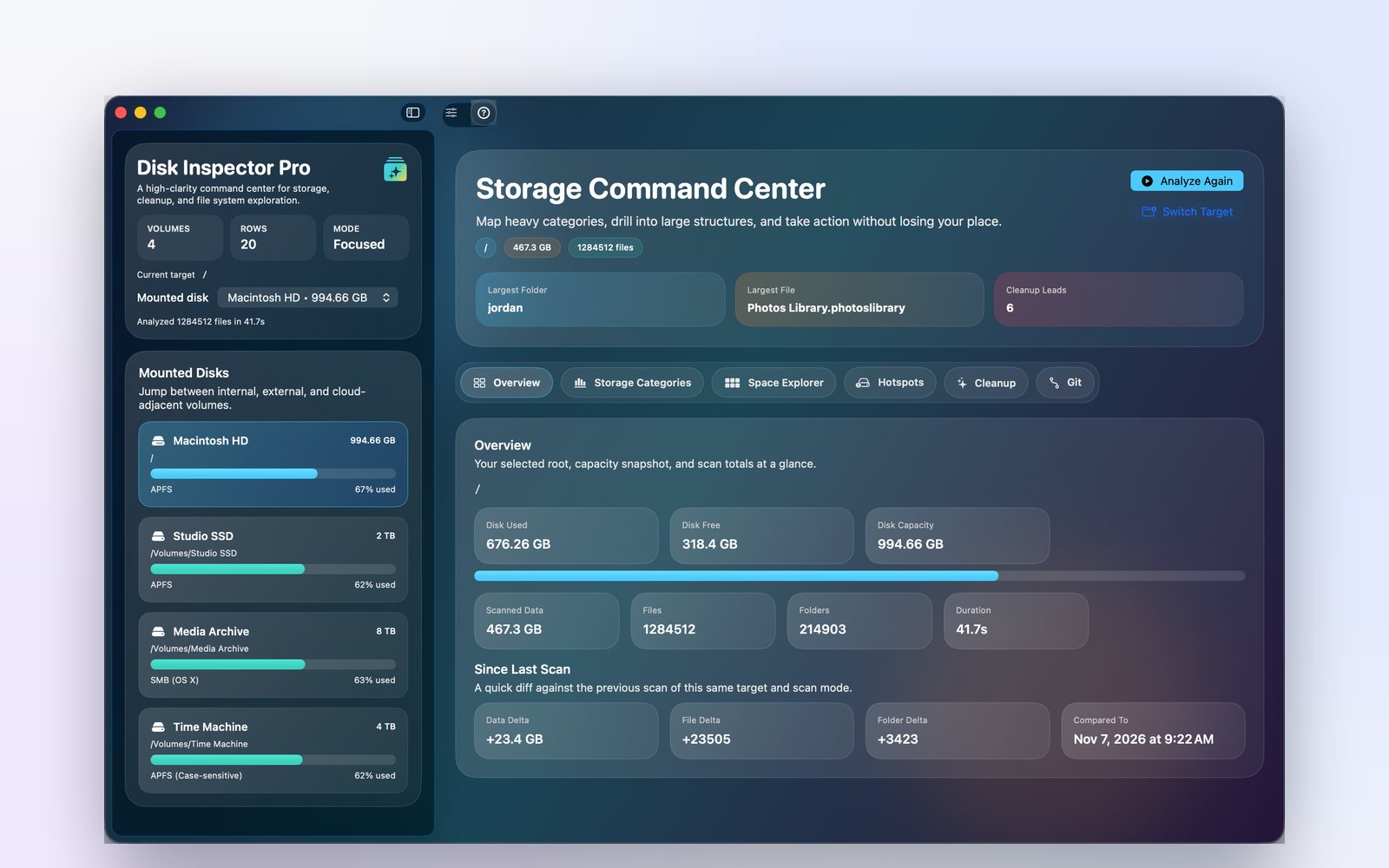
Disk Inspector Pro shows you exactly where your Mac’s storage is going. Scan internal, external or network drives, see space broken down by folder and category, and find what’s safe to clean up. Built for macOS, with everything kept on your Mac.
Discover Powerful Tools
See what’s using your space and decide what to do about it.

Disk Usage Scanner
Scan internal, external and network volumes and drill into any folder with a fast, breadcrumb-driven explorer.

Storage Categories
See space grouped into categories, with the largest items highlighted so the big wins stand out.

Cleanup Suggestions
Get a list of cleanup candidates and spot Git repositories that take up more room than you expected.
How Disk Inspector Pro Works
Three steps from a full disk to free space.

Step One: Scan Your Storage
Choose a drive or folder and run a scan. Add exclusions to skip anything you don’t want counted.

Step Two: Analyze Results
Review the overview, categories and top storage items to pinpoint what’s taking up space.

Step Three: Manage Storage
Work through cleanup suggestions and free up space with confidence. Scan history lets you track changes over time.
In everyday use
From video edits to code projects, see where your space went in minutes.


Take Control of Your Storage Now
Find out where your space went and get it back.