


Air Pro
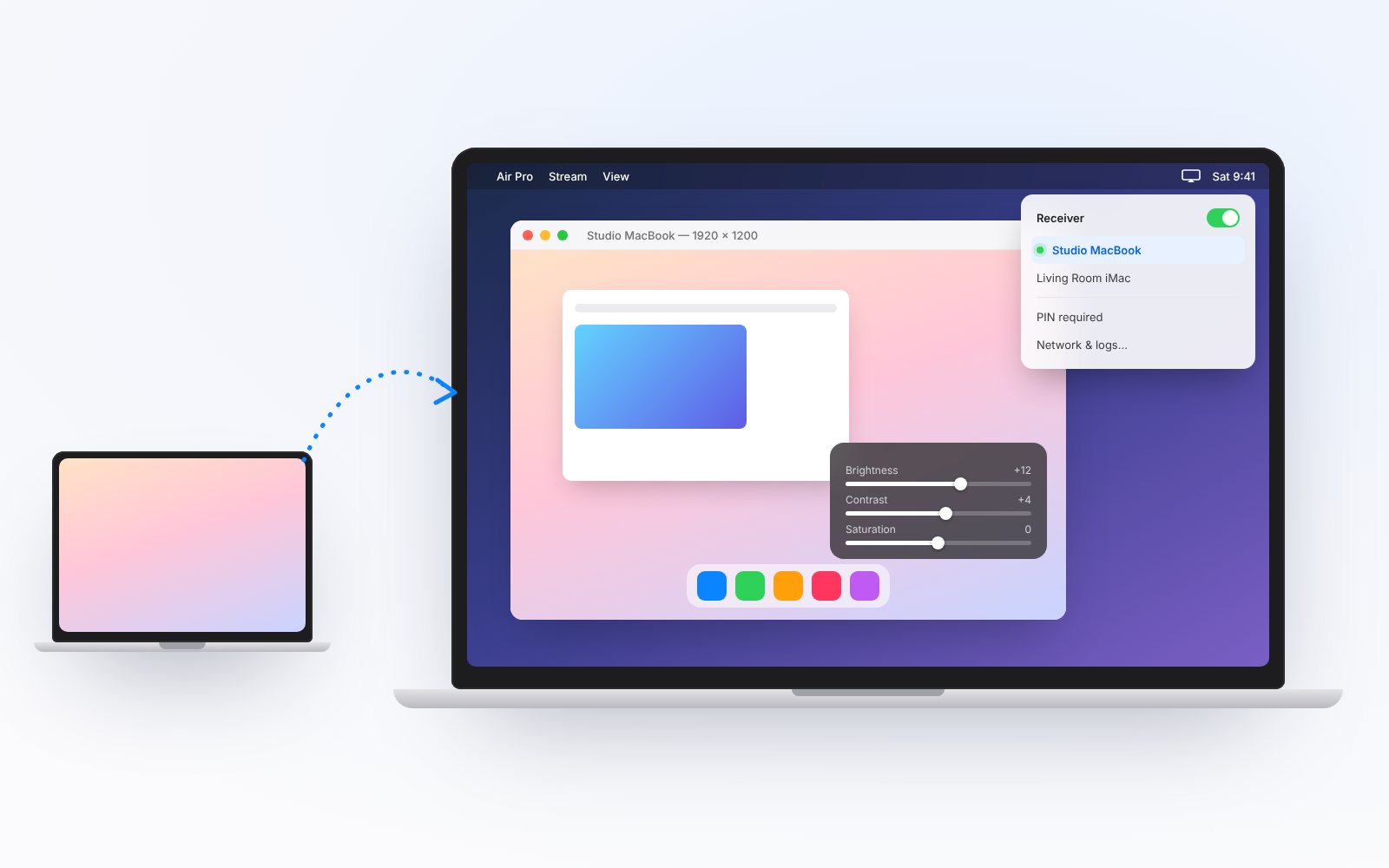
Air Pro turns your Mac into a screen-mirroring receiver. It runs quietly from the menu bar, shows incoming streams in a native viewer, and lets you fine-tune the picture with on-screen video controls. Built for macOS.
What Air Pro Does
Simple, local screen mirroring for your Mac, with no extra hardware and no cloud services.
Menu Bar Receiver
Air Pro launches into the menu bar and can start receiving automatically, so it’s ready whenever you need it.

Built-In Sender
Mirror another Mac’s display to Air Pro over your local network with the included sender.

Picture Controls
Adjust brightness, contrast, saturation, hue, rotation and flip from a compact overlay while a stream is playing.

Private by Design
Streams stay on your local network, with optional PIN or password access to control who can connect.
How Air Pro Works
Get from install to mirroring in three steps.

Step One: Start the Receiver
Launch Air Pro and turn on the receiver from the menu bar. Give it a name so it’s easy to find.

Step Two: Connect
Start sending from another device on the same network. Air Pro picks up the stream and sizes the view automatically.

Step Three: Fine-Tune
Use the overlay to adjust the picture, and check status, network details and logs any time.
Mirror to Your Mac with Air Pro
A lightweight receiver that lives in your menu bar and keeps everything on your own network.
